
Turbochef troubleshooting starts with a hard power reboot at the wall breaker for 2 minutes to clear stuck software faults. Most daily errors happen because grease buildup blocks internal airflow or the oven door fails to latch tight. If the display stays blank or shows a high-voltage warning, the machine needs a certified commercial technician.
Why your Turbochef needs troubleshooting
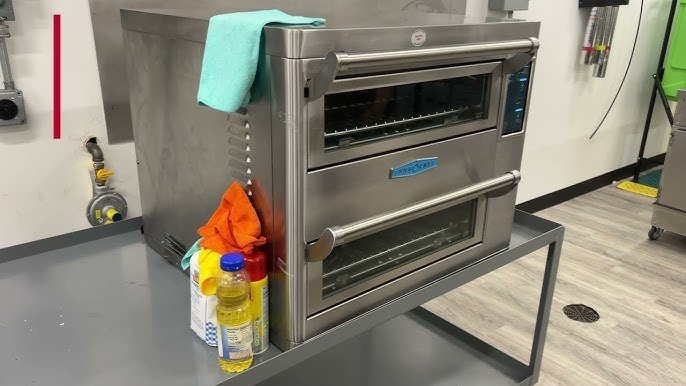 Photo: www.youtube.com on Google
Turbochef speed ovens combine microwave energy and high-velocity convection air to cook fast. When grease, crumbs, and burnt oil coat the interior cavity, hot air can’t circulate properly. This triggers thermal sensors to shut down heating to prevent fire.
Second, the door safety interlock switches open and close dozens of times each day. If food residue clogs the latch or the door hinge sags, the microswitches won’t engage. The control board thinks the door is open and halts operation. Finally, internal electronics overheat quickly when back-panel air filters clog with kitchen dust, causing the unit to lock itself out until it cools down.
Clear the air intake filter
This fix is for ovens displaying temperature warnings or shutting down mid-cook. Slide the removable air filter out from the bottom or back of the unit. Wash it in a sink with warm water and mild dish soap until no visible dust remains. Shake off excess moisture and let the mesh dry fully before putting it back. Never run the machine with a damp filter.
You’ll know this worked if the cooling fan sounds smooth and the unit finishes a preheat cycle without an airflow error. This step isn’t for units displaying high-voltage or magnetron faults. If a clean filter doesn’t stop the overheating alarm, the internal cooling blower has likely failed and requires a professional repair service.
Inspect and wipe the door latch
 Photo: www.partstown.com on Google
This fix targets ovens that power on but refuse to cook, often showing a “close door” prompt. Food particles frequently jam the latch holes on the front face frame. Dip a non-abrasive cloth into warm water and wipe around the strike pins, hinges, and perimeter silicone gasket. Take a dry wooden toothpick to gently hook out crusty grease trapped inside the small latch receivers.
Never poke metal forks or screwdrivers into these openings. Shut the door firmly; you should hear an audible, crisp click. The fix worked if the cook cycle starts immediately without requiring you to push or lean against the door. If the door feels loose or hinges wobble, skip DIY fixes to avoid microwave energy leakage and call an authorized technician.
Reset power at the circuit breaker
This step handles frozen display screens, unresponsive touchpads, and communication error codes. Commercial rapid-cook ovens draw heavy electrical loads that can trigger temporary voltage sags. Switch off the dedicated wall breaker serving the oven. Leave it off for at least 120 seconds to drain lingering residual current from internal logic boards. Flip the breaker back on firmly.
The control board will run an internal self-test as it boots up. Check ENERGY STAR commercial oven specifications to understand the strict standby and operational energy demands these appliances require on dedicated lines. If the machine works, the display returns to the main menu without lingering codes. This hard reset is worth doing once. If errors return right away, repeated resets won’t fix the issue and risk damaging the solid-state control board.
What not to do
- Don’t scrape heating plates with wire brushes or steel wool, because stripping the protective non-stick coating causes stubborn carbon deposits that smoke constantly.
- Don’t wedge the door shut with tape or shims to bypass latch errors, as this allows dangerous microwave energy to escape into the kitchen.
- Don’t use caustic lye-based oven cleaners inside the cavity, since harsh chemicals eat away at aluminum components and internal blower wheels.
- Don’t run the oven while completely empty during testing, because unmatched microwave energy reflects back into the magnetron and destroys it.
How to stop it happening again
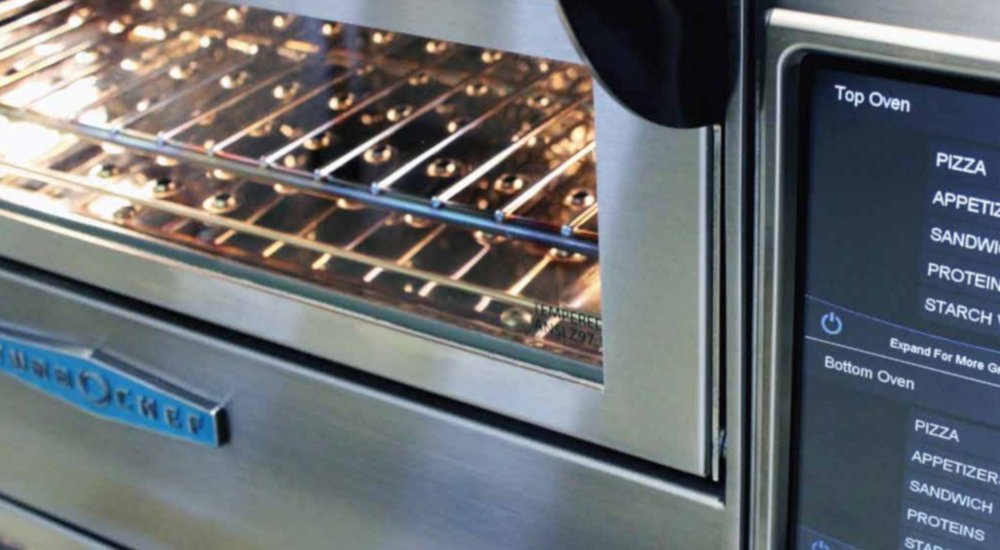 Photo: generalparts.com on Google
Daily habits determine whether a rapid-cook oven runs reliably or shuts down during service.
| If you’re doing this | Do this instead | Why |
|---|---|---|
| Leaving grease overnight | Wipe the cavity with approved cleaner daily | Burned fat hardens into carbon that blocks heat sensors |
| Slamming the door shut | Close it smoothly until latches catch | Hard impacts bend hinge pins and misalign microswitches |
| Ignoring intake mesh | Wash the air filter once every week | Blocked air suffocates electronics and causes heat cutoffs |
| Using bare metal pans | Use approved non-stick baskets or Teflon pans | Exposed metal sparks against interior walls and ruins magnetrons |
| Unplugging while hot | Let the automated cool-down cycle finish | Fans must run until warm components reach safe resting levels |
Frequently asked questions
Can you reset a Turbochef without turning off the breaker?
No, the main control board stays energized in standby mode. A true system reset requires removing incoming voltage entirely. You must switch off the external breaker or pull the heavy-duty wall plug for two minutes so all internal processor circuits lose charge.
Why does the oven say “cooling down” and lock the door?
Cool-down mode runs fans to bring the cavity down to a safe temperature for daily cleaning or shutdown. An automatic thermal cutout takes control to blow air across the heating elements until they drop to safe levels. Let the fans run continuously; the interface will unlock once temperatures normalize.
Is it safe to use aluminum foil in a Turbochef?
No, foil will arc against the interior walls. High-velocity air currents easily lift lightweight foil sheets into the top heating element, sparking immediate electrical short circuits and permanently destroying the wave-guide covers.
How long does a Turbochef preheat cycle take?
About 15 minutes under standard conditions. If the cavity takes longer than 25 minutes to reach working heat, check the voltage supply or inspect the internal heating element for damage. Times vary by model—check the serial label for exact wattage.
What happens if you skip the daily cleaning cycle?
Baked-on grease turns into hard carbon within days. This carbon absorbs microwave energy directly, causing severe hot spots, foul smoke, and eventual sensor failure that requires expensive component replacement.

- OSIPOTO 2LB Bread Maker Troubleshooting - September 14, 2026
- Turbochef Troubleshooting - September 14, 2026
- OSIPOTO Bread Maker Machine Review: Honest Take 2026 - September 13, 2026

