
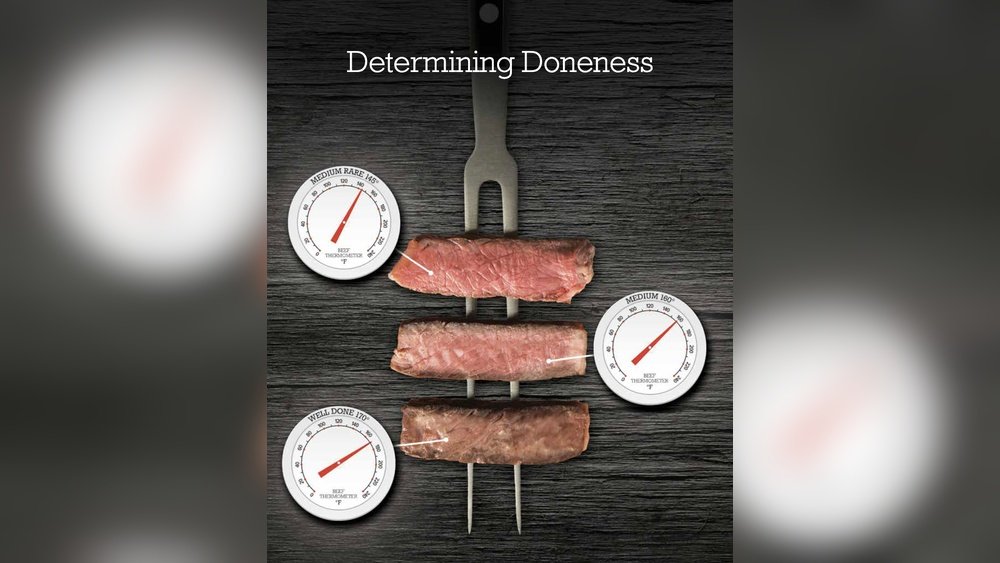
When you’re cooking meat, getting the temperature just right is key to delicious, safe results. But how long does it actually take for a meat thermometer to give you an accurate reading?
You might find yourself waiting anxiously, unsure if the number on the dial or digital screen is reliable yet. Understanding the timing can save you from overcooking or undercooking your meal. You’ll discover exactly how long you should wait for a meat thermometer to read correctly—and why this little detail can make a big difference in your cooking.
Keep reading to master the perfect meat temperature every time!
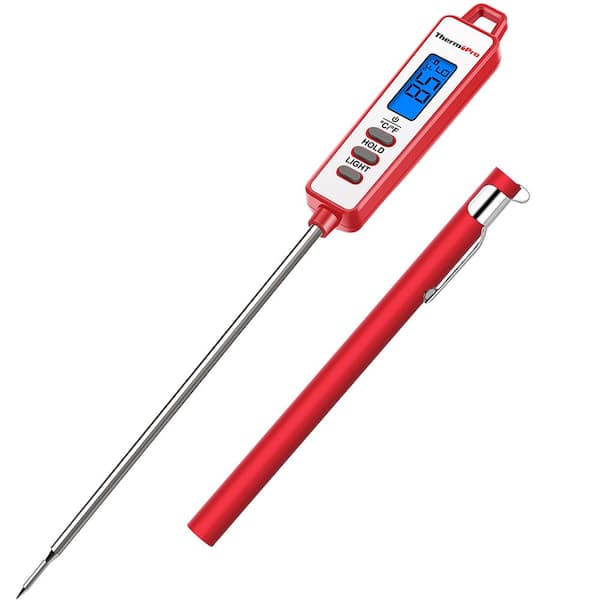
Types Of Meat Thermometers
Meat thermometers come in different types. Each type has a specific use. Choosing the right thermometer helps cook meat perfectly. It also ensures food safety. Understanding the types of meat thermometers helps you pick the best one for your needs.
Instant-read Thermometers
Instant-read thermometers give quick temperature results. They usually take about 5 to 10 seconds. These are great for checking meat during cooking. They are small and easy to use. You insert the probe into the meat and get a fast reading.
Probe Thermometers
Probe thermometers stay in the meat while it cooks. They have a wire connecting the probe to the display outside. This lets you monitor temperature without opening the oven. They give constant temperature updates. Great for slow cooking or smoking meat.
Dial Thermometers
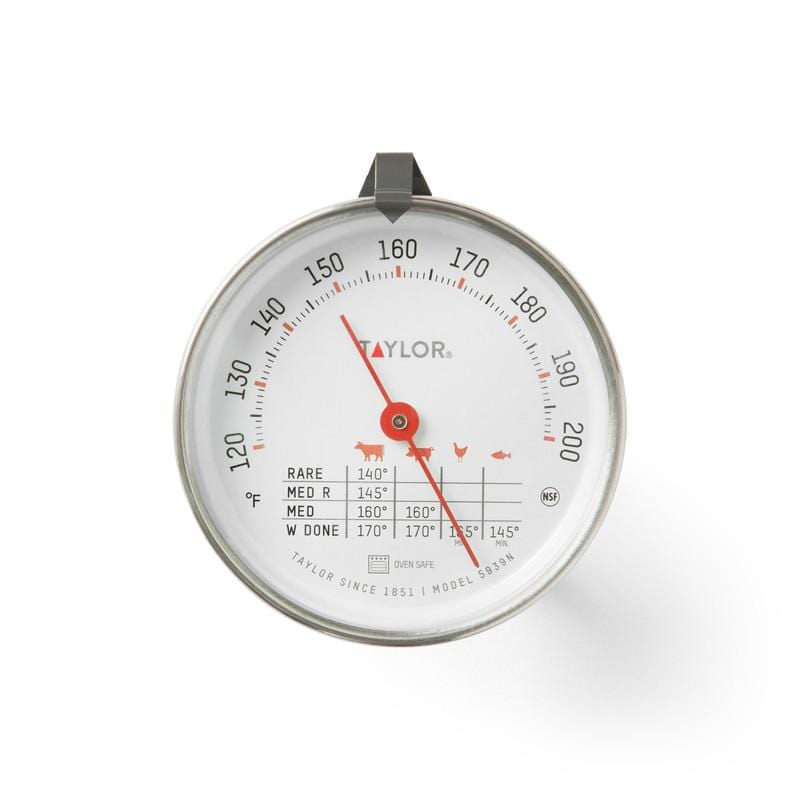
Dial thermometers use a dial to show temperature. They take longer to give a reading, about 15 to 20 seconds. These are simple and do not need batteries. They work well for large cuts of meat. Insert the probe and wait for the needle to stop moving.
Digital Thermometers
Digital thermometers provide clear, easy-to-read numbers. They give fast and accurate readings. Most digital models have backlit screens for use in low light. Some have alarms to signal when meat reaches the right temperature. They are popular and user-friendly for all cooks.
Factors Affecting Reading Time
Several factors influence how fast a meat thermometer shows the temperature. Knowing these helps you get accurate readings quickly. Some factors relate to the thermometer itself. Others depend on the meat and how you check it.
Thermometer Design
Different thermometers work at different speeds. Digital thermometers give readings fast, often within seconds. Dial or analog types take longer. The sensor type inside the thermometer also matters. Thin sensors heat up quicker than thick ones.
Meat Thickness
Thicker meat takes longer for the heat to reach the thermometer. The deeper the probe goes, the more time it needs to adjust. Thin cuts like steaks show temperature faster than a thick roast.
Temperature Difference
The bigger the gap between the meat and the thermometer’s starting temperature, the longer it takes. A cold thermometer in hot meat needs more time to catch up. If the thermometer is warm first, the reading appears faster.
Placement In Meat
Where you put the thermometer affects the speed of reading. Insert it in the thickest part, away from bones or fat. Bones heat up differently and can give false readings. Proper placement ensures a true temperature and quicker results.
Typical Reading Times
Meat thermometers differ in how fast they show the temperature. Knowing typical reading times helps you choose the right one. It also saves time while cooking and keeps your food safe.
Each type works differently. Some give results quickly, while others take longer. Understanding these times helps you cook better.
Instant-read Thermometers Speed
Instant-read thermometers give results in 5 to 10 seconds. They use digital sensors to measure heat fast. This speed is great for checking meat without losing heat. Many cooks prefer instant-read for quick checks.
Probe Thermometers Duration
Probe thermometers take longer to show the final temperature. They stay inside the meat during cooking. It can take 1 to 3 minutes to get a stable reading. This type is good for slow cooking or roasting.
Dial Thermometer Response
Dial thermometers use a metal probe with a dial display. They need about 15 to 20 seconds to show temperature. These thermometers are less common but still useful. They work well for basic cooking needs.
Tips For Accurate Readings
Getting an accurate reading from your meat thermometer is key to perfect cooking. Small mistakes can cause wrong temperature results. These tips help you get the best reading every time. Follow them closely to avoid guesswork and cook safely.
Proper Insertion Techniques
Insert the thermometer into the thickest part of the meat. Avoid touching bone, fat, or gristle. These parts heat differently and give false readings. Push the probe deep enough to reach the center of the meat. Hold it steady until the temperature stops changing.
Avoiding Hot Spots
Hot spots in the oven or grill can mislead temperature readings. Move your meat around during cooking to heat evenly. Check temperature in multiple spots if the cut is large. This ensures the whole piece is cooked properly and safe to eat.
Cleaning And Calibration
Clean your thermometer after every use. Food residue can affect the sensor’s accuracy. Use warm soapy water or alcohol wipes for cleaning. Calibrate your thermometer regularly according to the manual. Proper calibration keeps readings reliable over time.
Common Mistakes To Avoid
Using a meat thermometer correctly ensures your food cooks safely and tastes great. Many people make simple errors that affect the reading time and accuracy. Avoiding these mistakes helps you get the right temperature quickly and easily. Here are common errors to watch out for.
Leaving Thermometer Too Short
Not inserting the thermometer deep enough leads to wrong readings. The tip must reach the thickest part of the meat. Checking too close to the surface gives a false low temperature. Always push the thermometer fully into the meat for the best result.
Meat Surface Vs Center
Meat temperature varies from surface to center. The outside cooks faster and can be hotter. Measuring only the surface gives an incomplete picture. Insert the thermometer into the meat’s center to check the true internal heat.
Ignoring Calibration
Thermometers need calibration to stay accurate. Over time, they may show wrong temperatures. Test your thermometer in ice water or boiling water regularly. Adjust it according to the instructions to maintain reliable readings.

When To Check Meat Temperature
Knowing when to check meat temperature is important for safe and tasty results. Checking at the right time helps you avoid overcooking or undercooking. It also keeps the meat juicy and flavorful. This section guides you on the best moments to use your meat thermometer.
During Cooking
Check the temperature in the last part of cooking. Insert the thermometer into the thickest part of the meat. Avoid touching bone or fat for accurate readings. Wait 10 to 20 seconds for the thermometer to settle. This gives a clear and correct temperature.
Resting Period
After cooking, let the meat rest for a few minutes. The temperature continues to rise during this time. Checking temperature after resting shows the final doneness. Use the thermometer again to confirm the meat is safe to eat.
Multiple Checks
For large cuts, check the temperature more than once. Different parts may cook unevenly. Take readings from several spots to ensure even cooking. This helps avoid surprises and ensures perfect meat every time.
Frequently Asked Questions
How Long Does A Digital Meat Thermometer Take To Read?
A digital meat thermometer usually takes 5 to 10 seconds to give an accurate reading. It uses quick sensors for fast results.
Why Does My Meat Thermometer Take Longer To Read?
Longer reading times can happen due to a low battery, thick meat, or improper probe placement. Ensure the probe is fully inserted.
Can Instant-read Thermometers Give Accurate Temperatures Quickly?
Yes, instant-read thermometers provide accurate temperatures within 5 to 10 seconds. They are designed for fast, reliable measurements.
Does The Type Of Meat Affect Thermometer Reading Time?
Yes, thicker or denser meat can cause slightly longer reading times. Thinner cuts heat faster, allowing quicker temperature detection.
Conclusion
A meat thermometer usually takes a few seconds to show the temperature. Waiting too long can cause the meat to lose heat. Checking the temperature quickly helps cook meat safely and perfectly. Use the thermometer right and trust the reading you get.
This small step makes a big difference in cooking. Keep your meals tasty and safe every time. Simple tools, good results.

